Switching to IPTV sounds straightforward until you realise you need something to actually watch it on. Unlike DStv, where a technician rocks up with a decoder and sorts everything out, IPTV puts the device choice in your hands.
That’s not a bad thing—it means flexibility and usually significant savings. But it also means you need to pick the right hardware for your situation. Get it wrong, and you’re stuck with buffering, apps that won’t install, or a device that overheats during the second half of a Springboks match.
This guide covers the IPTV devices South Africa users actually rely on. We’ll look at what works, what doesn’t, what fits different budgets, and how to avoid the common mistakes that leave people frustrated. Whether you’re setting up your first IPTV system or upgrading from something that’s been giving you grief, you’ll find practical answers here.
What Is IPTV and Why Does Your Device Matter?
IPTV delivers television through your internet connection rather than a satellite dish. You subscribe to a service, get login credentials, install an app on your device, and stream live channels and on-demand content.
Simple enough. But here’s where device choice becomes critical.
Unlike Netflix or Showmax, which are optimised to run on virtually anything, IPTV apps need to handle thousands of channels, EPG data, and continuous live streaming. Cheap or underpowered devices struggle. They buffer. They crash. They turn what should be an enjoyable viewing experience into a constant frustration.
The device you choose affects:
- Stream quality – Can it handle Full HD or 4K without stuttering?
- App compatibility – Will the IPTV apps you need actually install and run?
- Reliability – Will it stay stable during a three-hour rugby match?
- User experience – Is navigation smooth or painfully slow?
- Longevity – Will it still work properly in two years?
South African conditions add another layer. Load shedding means your device might restart frequently. Data costs matter if you’re not on uncapped fibre. Heat can be an issue with some hardware. These factors don’t apply everywhere, but they absolutely apply here.
Best IPTV Devices South Africa
Let’s break down the main options available to South African users, with honest assessments of each.
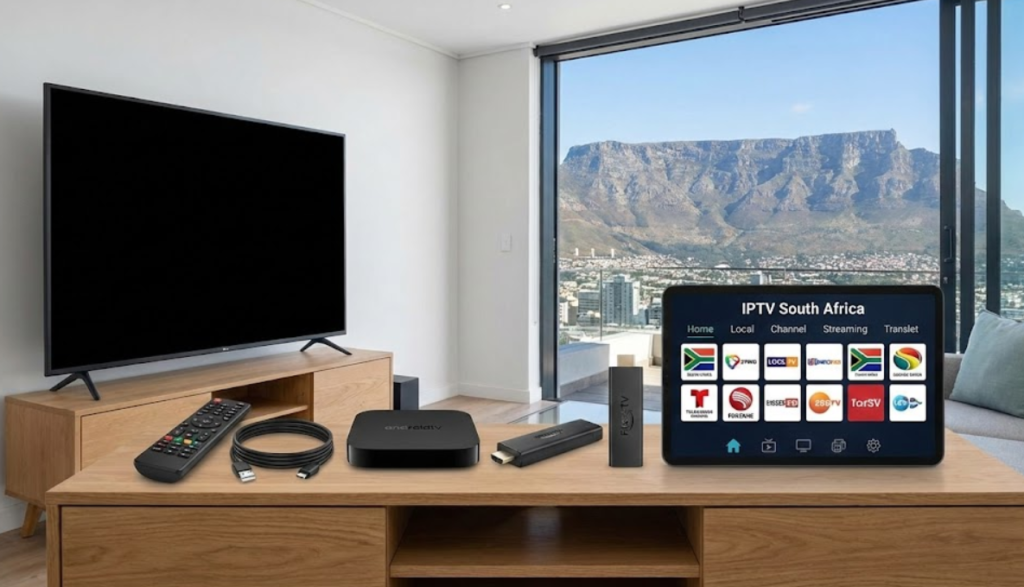
Amazon Firestick
The Amazon Firestick has become the default recommendation for IPTV in South Africa, and for good reason.
What it is: A small streaming stick that plugs into your TV’s HDMI port. It runs a modified version of Android, giving you access to a wide range of apps including all the major IPTV players.
Why South Africans love it:
- Compact and portable – take it on holiday or between rooms
- Affordable – the standard Firestick costs around R800-R1,200
- Low power consumption – runs easily off a small UPS during load shedding
- Easy setup – plug in, connect to WiFi, download apps
- Excellent app support – all major IPTV apps work smoothly
- Regular updates from Amazon
Available models:
The Fire TV Stick Lite handles basic streaming but may struggle with demanding IPTV apps. The Fire TV Stick 4K or Fire TV Stick 4K Max are better choices if your TV and internet support higher resolutions. The performance difference is noticeable.
Potential drawbacks:
- Not officially sold in South Africa (you’ll buy from importers or online retailers)
- No expandable storage
- The remote uses Bluetooth, which occasionally has pairing issues
Best for: Most South African households looking for a reliable, affordable IPTV Firestick South Africa solution.
How to install IPTV on Firestick
Android TV Boxes
Android TV boxes offer more power and flexibility than streaming sticks, making them popular among users who want the best possible performance.
What they are: Small set-top boxes running Android TV or standard Android, connecting to your TV via HDMI. They typically have more processing power, RAM, and storage than sticks.
Popular options in South Africa:
- NVIDIA Shield TV – The premium choice. Expensive (R3,500+) but exceptional performance and longevity. Handles 4K HDR without breaking a sweat.
- Xiaomi Mi Box S – Mid-range option with official Android TV. Good balance of price and performance around R1,500-R2,000.
- Generic Android boxes – Widely available from R500-R1,500. Quality varies enormously.
Why consider an Android box:
- More processing power for smooth channel switching
- Expandable storage via USB or SD card
- Ethernet ports for wired connections (more stable than WiFi)
- Often includes more RAM for better multitasking
- Can double as a general media centre
Caution with cheap boxes:
The South African market is flooded with no-name Android boxes making impressive claims. Many use outdated processors, run old Android versions, and stop receiving updates within months. A R400 box that freezes constantly is no bargain.
If going the Android box route, stick to recognised brands or be prepared for potential disappointment.
Best for: Users wanting maximum performance, those with 4K TVs, and anyone who prefers a wired ethernet connection.
Best Android TV boxes for IPTV
Smart TVs
Many South African households already own a Smart TV capable of running IPTV apps directly—no additional hardware required.
Samsung Smart TVs
Samsung’s Tizen operating system supports several IPTV apps, though not as many as Android-based systems.
- Apps like Smart IPTV and IBO Player work on most Samsung Smart TVs
- Setup involves downloading from the Samsung app store or sideloading
- Performance depends heavily on your TV’s age and specifications
- Older Samsung TVs may struggle with demanding streams
LG Smart TVs
LG uses webOS, which has similar app availability to Samsung.
- Supports apps like Smart IPTV and SS IPTV
- Generally smooth performance on TVs from 2018 onwards
- Interface is user-friendly
- Older models may have limited app support
Android TVs (Sony, TCL, Hisense, Xiaomi)
TVs running Android TV offer the widest IPTV app compatibility.
- Access to Google Play Store means most IPTV apps install easily
- Performance varies by TV model and specifications
- Generally the most flexible Smart TV option for IPTV
- Hisense and TCL offer good value in South Africa
Advantages of using your Smart TV:
- No additional hardware costs
- One remote controls everything
- Cleaner setup with no extra cables or devices
- Often sufficient for casual IPTV viewing
Disadvantages:
- TV processors are often slower than dedicated streaming devices
- App selection may be limited depending on your TV’s operating system
- If the TV’s software becomes outdated, you’re stuck
- Some TVs overheat during extended streaming sessions
Best for: Users who want simplicity and already own a capable Smart TV (2019 or newer recommended).
How to set up IPTV on Samsung Smart TV
Smartphones and Tablets
Mobile devices work surprisingly well for IPTV, especially as a secondary viewing option.
Android phones and tablets:
- Excellent app support – all major IPTV apps available on Google Play
- Convenient for watching in bed or while travelling
- Can cast to TV using Chromecast or screen mirroring
- Works over WiFi or mobile data
iPhones and iPads:
- Good app availability on the App Store
- Reliable performance on recent devices
- AirPlay support for casting to compatible TVs
- Generally smooth user experience
Practical uses:
- Watching in rooms without a TV
- Continuing a match when you need to leave the lounge
- Checking what’s on before switching the main TV
- Travelling (hotel WiFi or mobile data)
Limitations:
- Small screens obviously limit the viewing experience
- Battery drain during extended watching
- Mobile data costs if not on WiFi
Best for: Secondary viewing, portability, and households where not everyone wants to watch the same thing.
PCs and Laptops
Computers remain a viable IPTV option, particularly for users who already spend time at a desk.
How it works:
- Install IPTV software like VLC Media Player (free) or dedicated IPTV apps
- Enter your subscription details
- Watch on your monitor or connect to a TV via HDMI
Advantages:
- No additional hardware purchase needed
- Large screens if using a desktop monitor
- Can run alongside other tasks
- Easy to capture or record if supported
Disadvantages:
- Not ideal for living room setups
- Computer must stay on while watching
- Less convenient than dedicated devices
- Fan noise on laptops can be distracting
Best for: Users who work from home and want to watch while at their desk, or those testing a service before investing in dedicated hardware.
IPTV Boxes vs Streaming Sticks: Which Should You Choose?
This is a common dilemma. Here’s a direct comparison.
Streaming Sticks (Firestick, Chromecast)
Pros:
- Lower cost (R800-R1,500)
- Extremely compact and portable
- Low power consumption (ideal for UPS during load shedding)
- Simple setup
- Easy to move between TVs
Cons:
- Less powerful processors
- No ethernet port (WiFi only on most models)
- Limited or no expandable storage
- May struggle with very demanding apps
Android TV Boxes
Pros:
- More processing power and RAM
- Ethernet ports for stable wired connections
- Expandable storage options
- Often better cooling for extended use
- Handle 4K and demanding apps more easily
Cons:
- Higher cost (R1,500-R4,000+)
- Larger footprint, less portable
- Higher power consumption
- Quality varies significantly between brands
The Verdict
For most South African households, a Firestick 4K offers the best balance of price, performance, and practicality. It handles IPTV smoothly, costs under R1,500, and runs during load shedding on minimal backup power.
If you have a 4K TV, want the absolute smoothest experience, or prefer a wired ethernet connection, investing in a quality Android box like the NVIDIA Shield or Xiaomi Mi Box makes sense.
Avoid the cheapest no-name options in either category. The money you save upfront typically costs you in frustration.
Minimum Internet and Performance Requirements in South Africa
Your device is only part of the equation. Internet connectivity matters just as much.
Speed Requirements
| Stream Quality | Minimum Speed | Recommended Speed |
|---|---|---|
| SD (480p) | 5 Mbps | 10 Mbps |
| HD (720p) | 10 Mbps | 15 Mbps |
| Full HD (1080p) | 15 Mbps | 25 Mbps |
| 4K | 25 Mbps | 50 Mbps |
Most urban South African fibre connections exceed these requirements comfortably. LTE can work but may experience inconsistency during peak hours.
Wired vs WiFi
A wired ethernet connection is always more stable than WiFi. If your device has an ethernet port and you can reasonably run a cable, do it. The difference in reliability during live sports is noticeable.
For Firestick users without ethernet ports, USB ethernet adapters are available and work well.
Data Consumption
IPTV uses significant data:
- SD streaming: approximately 1-1.5 GB per hour
- HD streaming: approximately 2-3 GB per hour
- Full HD streaming: approximately 4-5 GB per hour
- 4K streaming: approximately 7-10 GB per hour
Unless you’re on an uncapped package, monitor your usage carefully. A family watching four hours daily at HD quality could easily consume 300+ GB monthly.
Load Shedding Considerations
During load shedding, you need power for:
- Your router/modem
- Your streaming device
- Your TV
A small UPS (even a basic 600VA) can keep a router and Firestick running. TVs draw more power and may require a larger UPS or inverter.
Some users rely on mobile data as an internet backup during outages, which works if your mobile signal is strong enough.
How to Choose the Right IPTV Device in South Africa
Consider these factors before purchasing:
Your TV’s Capabilities
If you have a 4K TV, get a device that supports 4K output. There’s no point having beautiful picture capability if your streaming device maxes out at 1080p.
Your Internet Connection
Slower connections work fine with SD or HD content but struggle with 4K. Match your device capabilities to what your internet can actually deliver.
Your Technical Comfort Level
Firesticks and pre-installed Smart TV apps are easier for beginners. Android boxes offer more customisation but require more technical confidence.
Budget
Be realistic. A quality Firestick 4K or mid-range Android box (R1,000-R2,000) outperforms a cheap R400 device that’ll frustrate you within weeks.
Household Needs
Multiple viewers might benefit from devices in different rooms. The portability of a Firestick makes it easy to move between spaces.
Common Setup Issues and How to Fix Them
Even with good hardware, setup problems happen. Here are the most common issues South African users encounter.
App Won’t Install
Cause: Device storage full, incompatible app version, or regional restrictions.
Fix: Clear cache and unused apps. Check that you’re downloading the correct version for your device. Some apps require sideloading rather than app store installation.
Buffering During Playback
Cause: Slow internet, WiFi interference, overloaded servers, or underpowered device.
Fix: Test your internet speed. Move closer to your router or use ethernet. Try a different channel or time of day. If the device is consistently slow, it may be underpowered.
Channels Not Loading
Cause: Server issues, expired subscription, incorrect login details, or app needs updating.
Fix: Verify your subscription is active. Re-enter credentials carefully. Update the app. Contact your provider’s support if problems persist.
Device Overheating
Cause: Poor ventilation, extended use, or inadequate hardware cooling.
Fix: Ensure the device has airflow around it. Avoid placing it in enclosed cabinets. Consider devices with better cooling if overheating is frequent.
Remote Not Working
Cause: Dead batteries, pairing issues, or interference.
Fix: Replace batteries (obvious but often overlooked). Re-pair the remote via device settings. Ensure no obstructions between remote and device.
IPTV Apps Commonly Used on These Devices
Your hardware runs software, and the right app makes a significant difference. Here are the most widely used IPTV applications:
IPTV Smarters Pro
User-friendly interface that works across most devices. Supports Xtream Codes and M3U playlists. Good EPG integration. Available on Android, iOS, Firestick, and Smart TVs.
TiviMate
Particularly popular among Firestick and Android TV users. Excellent EPG layout and smooth performance. The free version has limitations; the premium version is worth considering.
IBO Player
Common on Samsung and LG Smart TVs. Simple setup process. Reliable performance for basic IPTV viewing.
VLC Media Player
Free, open-source, and available on virtually everything. Supports M3U playlists. Less polished interface than dedicated IPTV apps but functional.
Flix IPTV
Works well on Smart TVs with limited app availability. Clean interface. Requires a small one-time activation fee on some platforms.
The app you use often depends on what your IPTV provider recommends or supports. Most providers work with multiple apps, giving you flexibility.
Best IPTV apps for South Africa
Ready to Choose Your IPTV Device?
Picking the right hardware doesn’t need to be complicated. For most South Africans, an Amazon Firestick 4K offers the best combination of affordability, performance, and practicality. It handles IPTV smoothly, costs a fraction of what you’d pay for premium alternatives, and survives load shedding on minimal backup power.
If budget allows and you want the absolute best experience—especially for 4K content—a quality Android box like the NVIDIA Shield is worth the investment.
Already have a Smart TV from the last few years? Try running IPTV directly on it first. You might find the built-in apps perfectly adequate for your needs.
Whatever you choose, pair it with stable internet, configure it properly, and you’ll have a reliable streaming setup that outperforms what most satellite subscribers experience.
Browse our IPTV subscription packages
Start your free IPTV trial
Frequently Asked Questions
What is the best device for IPTV in South Africa?
The Amazon Firestick 4K is the most popular choice among South African IPTV users. It balances affordability, performance, and app compatibility well. For premium performance, the NVIDIA Shield TV is excellent but significantly more expensive.
Can I use my existing Smart TV for IPTV?
Yes, if your Smart TV runs Android TV, Tizen (Samsung), or webOS (LG), you can likely install IPTV apps directly. TVs from 2019 onwards generally perform better. Older TVs may have app compatibility or performance limitations.
Do I need a special IPTV box from my provider?
No. Unlike satellite TV, IPTV works on standard streaming devices, Smart TVs, phones, tablets, and computers. You don’t need to purchase hardware from your IPTV provider.
Will IPTV work during load shedding?
Only if you have backup power for your router and streaming device. A small UPS can keep a Firestick and router running for several hours. Mobile data can serve as internet backup if your cellular signal is adequate.
What internet speed do I need for IPTV?
For comfortable HD viewing, 15-25 Mbps is sufficient. For 4K streaming, 50 Mbps or higher is recommended. Most South African fibre connections meet these requirements.
Can I use IPTV on my phone?
Yes. Both Android and iPhone support IPTV apps. You can watch on your phone’s screen or cast to a TV using Chromecast, AirPlay, or screen mirroring.
How much do IPTV devices cost in South Africa?
Basic streaming sticks start around R600-R800. The Firestick 4K costs approximately R1,000-R1,500. Quality Android boxes range from R1,500 to R4,000. No-name budget devices under R500 are available but often disappointing.
Is a wired internet connection better for IPTV?
Yes. Wired ethernet connections are more stable than WiFi, especially during live sports when buffering is most frustrating. If your device supports ethernet and you can run a cable, it’s worth doing.
Can I use one IPTV device on multiple TVs?
A single device connects to one TV at a time. However, devices like Firestick are portable and can be easily moved between TVs. For simultaneous viewing on multiple TVs, you’ll need a device for each.
What should I avoid when buying an IPTV device?
Avoid very cheap no-name Android boxes with unrealistic specifications. Devices advertising 8GB RAM for R400 are misrepresenting their capabilities. Stick to recognised brands and realistic expectations.
IPTV Devices South Africa IPTV Devices South Africa IPTV Devices South Africa v IPTV Devices South Africa IPTV Devices South Africa IPTV Devices South Africa IPTV Devices South Africa IPTV Devices South Africa IPTV Devices South Africa IPTV Devices South Africa IPTV Devices South Africa IPTV Devices South Africa IPTV Devices South Africa IPTV Devices South Africa IPTV Devices South Africa IPTV Devices South Africa IPTV Devices South Africa v IPTV Devices South Africa IPTV Devices South Africa IPTV Devices South Africa IPTV Devices South Africa IPTV Devices South Africa IPTV Devices South Africa IPTV Devices South Africa IPTV Devices South Africa IPTV Devices South Africa IPTV Devices South Africa IPTV Devices South Africa